Inspections slip through the cracks
The annual check-up is easy to forget — until the customer calls because the boiler has stopped heating.
 FurnaceLog
For furnace and boiler service companies
FurnaceLog keeps track of your customers' equipment, remembers when inspections are due, and gives your whole team the same up-to-date information — on site and in the office.
iOS, Android and the web — one app, one company account. The app itself is in Polish.
A service company looks after hundreds of units across many customers. When that information is scattered, inspections get missed and time goes into chasing details.
The annual check-up is easy to forget — until the customer calls because the boiler has stopped heating.
What was replaced last year, what did it cost, who did the job? Without a record, the technician shows up blind.
Each technician keeps their own records, and the owner never sees the full picture.
FurnaceLog is built around the day-to-day work of a heating company: equipment, visits, customers and the team.
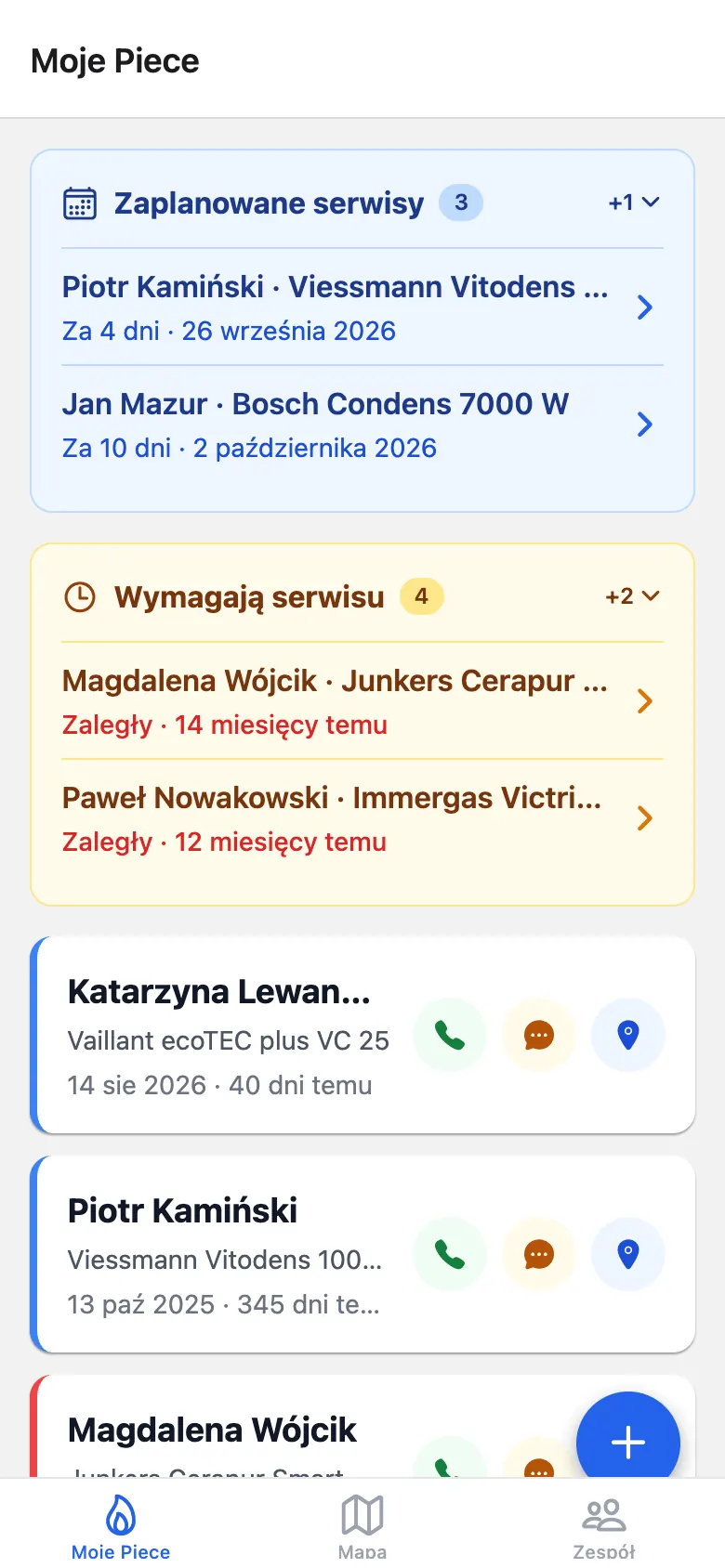
The home screen opens with what matters today.
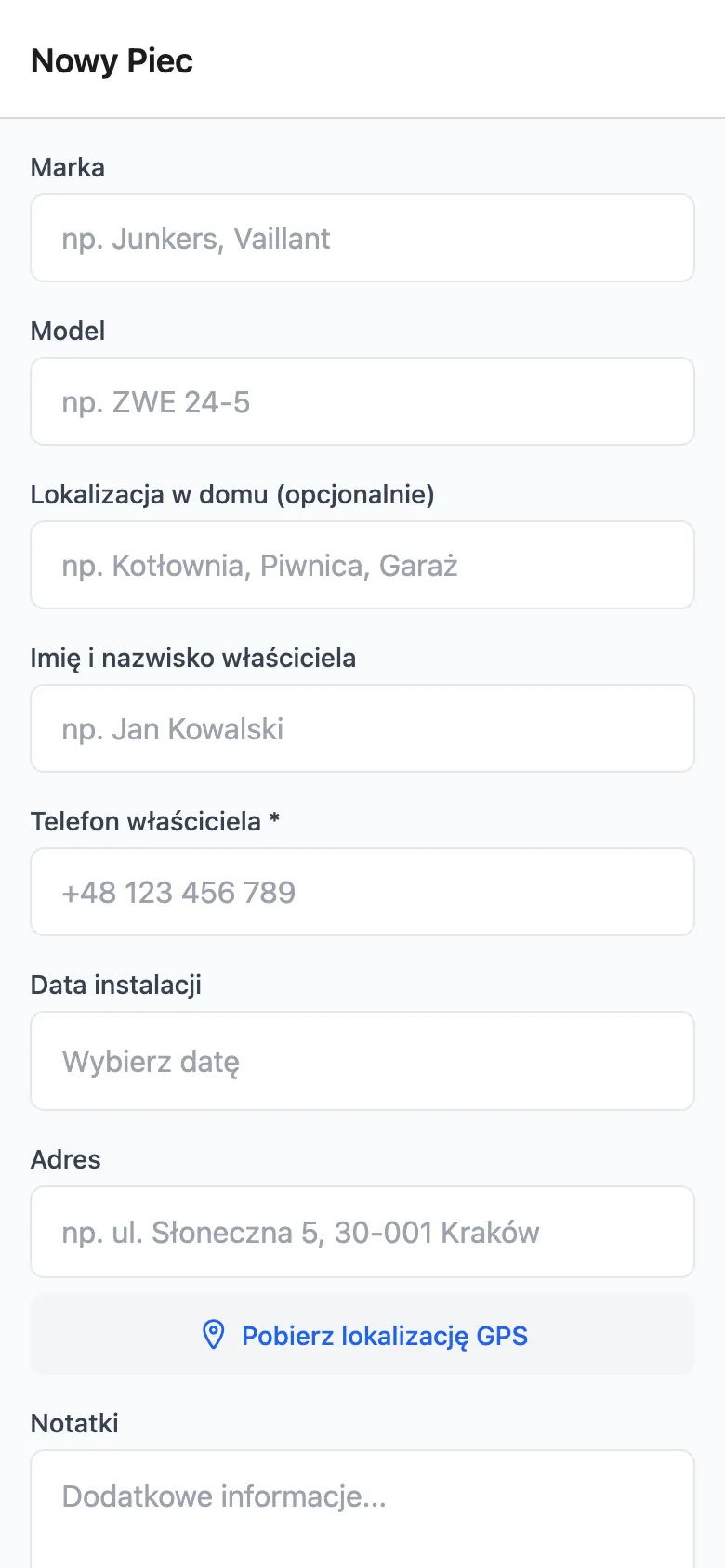
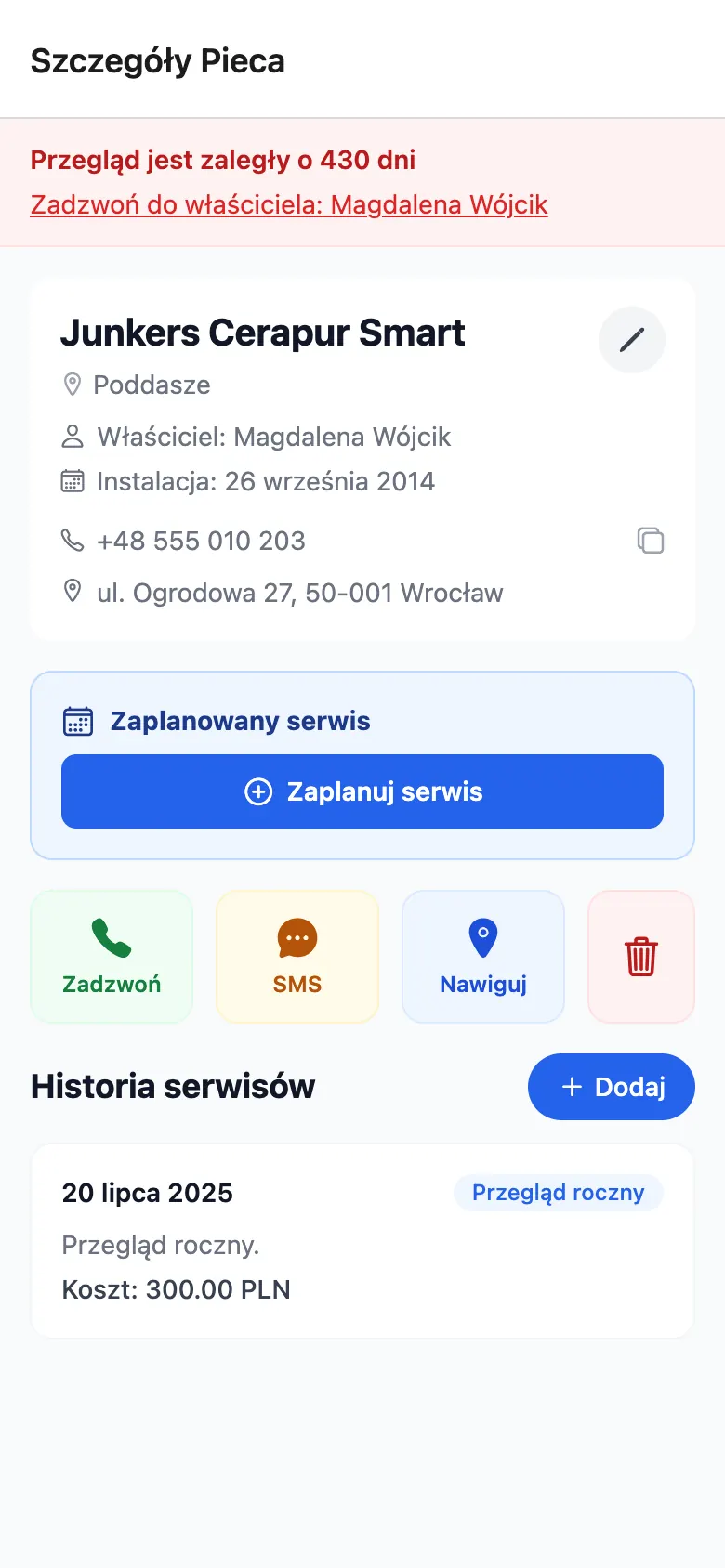
Store the brand, model, where it's installed in the home and the installation date, plus the owner's details, the address with GPS coordinates and your own notes — like where the key to the boiler room is kept.
Each entry records the date, the type of work — annual inspection, repair, installation or other — a description, the cost in PLN and an optional next service date. Entries can be edited or deleted later.
Book the next visit with the “Schedule service” button on the furnace card. Once you log a service on or after that date, the booking clears itself.
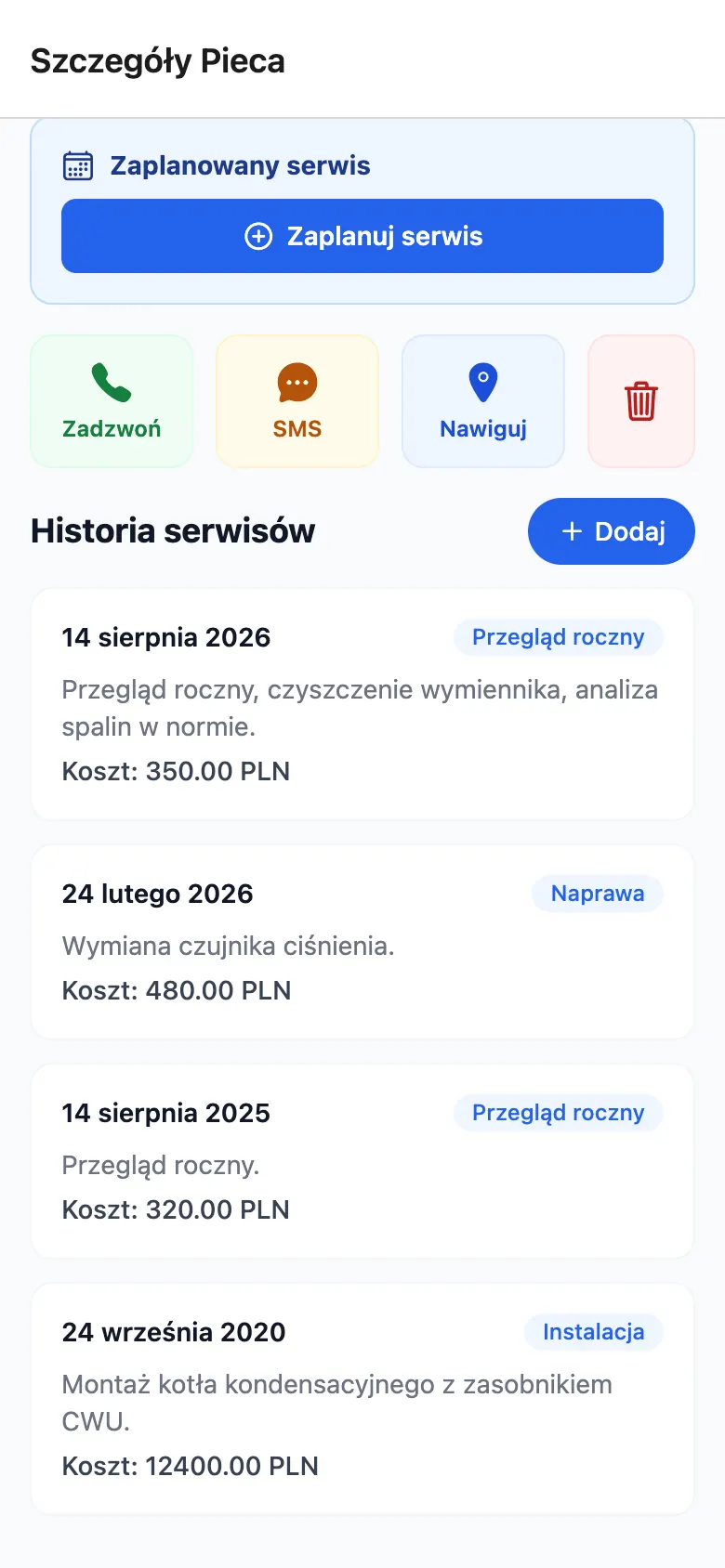
From the furnace card or the furnace list, one tap calls the owner, starts a text message or opens navigation to the address. When an inspection is overdue, a clear banner at the top of the card shows by how many days.
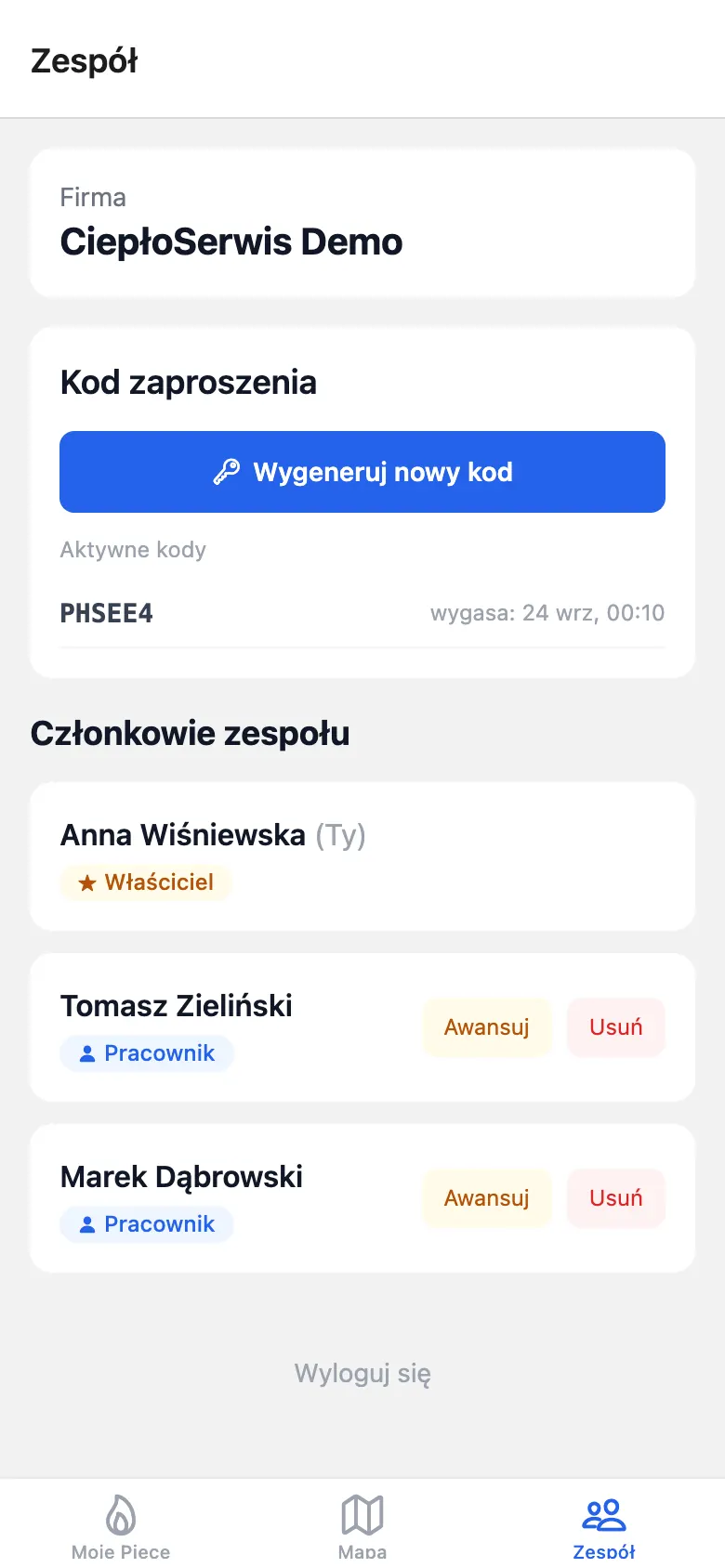
The owner creates the company and employees join with a six-character invite code that's valid for 24 hours. Everyone sees the same furnaces and the same service history.
In the iOS and Android app, the Map tab shows your customers' equipment on a map of Poland. Furnaces without GPS coordinates are placed using their saved address. Tap a pin to open the furnace's details.
The map is only available in the mobile app, so it doesn't appear in these browser screenshots.
You can go from sign-up to your first reminder in a few minutes.
Sign up with your email and a password, then create your company — or join an existing one with a code.
Generate an invite code and share it with your employees.
Enter each unit along with the owner's details and location.
Book visits and add an entry after each one. The home screen shows what's booked and what's due.
Real screenshots of the app (Polish interface) with fictional demo data. Click to enlarge.
For technical teams: what FurnaceLog is built with and how to run it locally.
One codebase runs on iOS, Android and the web. Convex provides the backend and authentication, and each company's data is kept separate. The interface is in Polish and amounts are in złoty (PLN).
# requires: Node.js 20+, Bun, a Convex account
bun install

# .env.local
EXPO_PUBLIC_CONVEX_URL=https://<deployment>.convex.cloud
EXPO_PUBLIC_CONVEX_SITE_URL=https://<deployment>.convex.site
CONVEX_DEPLOYMENT=dev:<deployment>

bun run convex:dev   # backend (separate terminal)
bun start            # Expo dev server: iOS / Android / web